There are situations where you need to detect when a new window opens to perform an action: closing a popup, automatically filling in information, and so on.
To avoid using interop and the RegisterShellHookWindow method, UI Automation can be used. UI Automation provides programmatic access to the UI, originally designed to help build assistive software for people with disabilities, but also widely used for automated GUI testing. Most importantly for this use case, it exposes events that notify you of changes to the UI.
To use UI Automation, the following references must be added:
UIAutomationTypesUIAutomationClient
If you are targeting .NET 5+, you need to use a TFM that contains -windows, such as <TargetFramework>net6.0-windows</TargetFramework>, and set <UseWPF>true</UseWPF>.
C#
static void Main(string[] args)
{
    System.Windows.Automation.Automation.AddAutomationEventHandler(
        eventId: WindowPattern.WindowOpenedEvent,
        element: AutomationElement.RootElement,
        scope: TreeScope.Children,
        eventHandler: OnWindowOpened);

    Console.ReadLine();
    Automation.RemoveAllEventHandlers();
}

private static void OnWindowOpened(object sender, AutomationEventArgs automationEventArgs)
{
    try
    {
        var element = sender as AutomationElement;
        if (element != null)
            Console.WriteLine("New Window opened: {0}", element.Current.Name);
    }
    catch (ElementNotAvailableException)
    {
    }
}
The code is straightforward: we subscribe to the WindowOpened event on RootElement to cover all top-level UI elements, then retrieve the element's name, which corresponds to the window title. UI Automation lets you restrict events to a specific subtree of the UI, but that is not needed here. Finally, remember to unsubscribe from events when you are done.
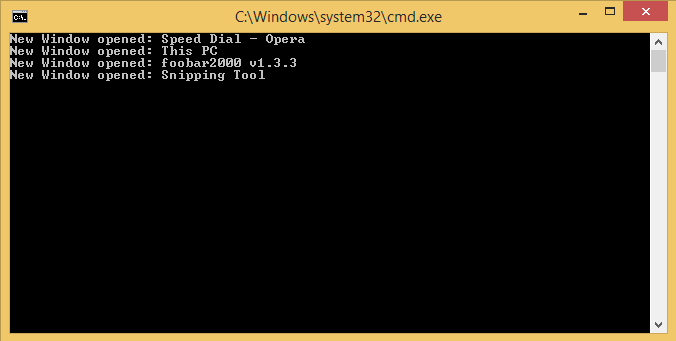
While the above code is useful for detecting new windows, the next step is to detect when the active window changes. UI Automation provides a focus-change event for this:
C#
System.Windows.Automation.Automation.AddAutomationFocusChangedEventHandler(OnFocusChanged);
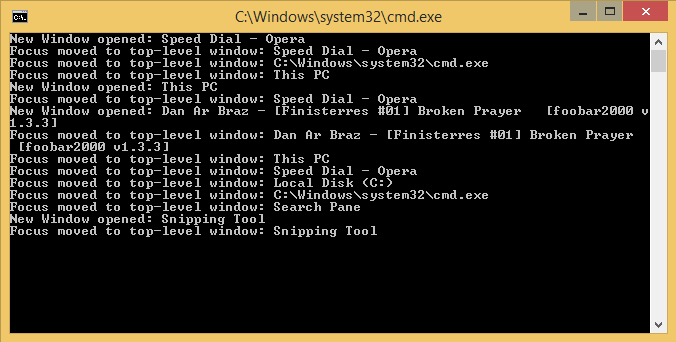
This event fires whenever any control gains focus, not just windows. The idea is to walk up the automation tree to find the parent window and check whether it has changed:
C#
static AutomationElement _lastWindow;

private static void OnFocusChanged(object sender, AutomationFocusChangedEventArgs e)
{
    AutomationElement elementFocused = sender as AutomationElement;
    if (elementFocused == null)
        return;

    try
    {
        AutomationElement topLevelWindow = GetParentWindow(elementFocused);
        if (topLevelWindow == null)
            return;

        if (topLevelWindow != _lastWindow)
        {
            _lastWindow = topLevelWindow;
            Console.WriteLine("Focus moved to window: {0}", topLevelWindow.Current.Name);
        }
        else
        {
            Console.WriteLine("Focused element: Type: '{0}', Name:'{1}'",
            elementFocused.Current.LocalizedControlType, elementFocused.Current.Name);
        }
    }
    catch (ElementNotAvailableException)
    {
    }
}

private static AutomationElement GetParentWindow(AutomationElement element)
{
    AutomationElement node = element;
    try
    {
        while (!Equals(node.Current.ControlType, ControlType.Window))
        {
            node = TreeWalker.ControlViewWalker.GetParent(node);
            if (node == null)
                return null;
        }

        return node;
    }
    catch (ElementNotAvailableException)
    {
    }

    return null;
}
Do you have a question or a suggestion about this post? Contact me!
