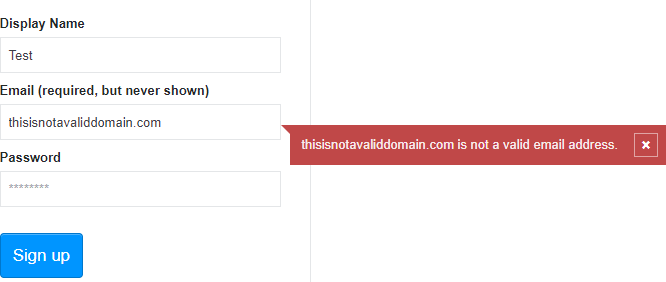
Applications often ask users to enter an email address, for example when creating an account. The application must validate the input before using it. In this post, we'll see how to validate an email address and catch common typing mistakes.
#Check the value is an email address
First, we must check that the user input is a valid email address. The value must match the grammar described in RFC 5322 (which replaces RFC 2822 and RFC 822). There are 2 main ways to validate an email address: using a regex or a parser.
There are many regexes on the web. Some are very complex (like this one), some are basic, and many are wrong (they reject valid values). I prefer using the regex provided by the W3C to validate <input type="email">:
C#
var regex = new Regex(@"^[a-zA-Z0-9.!#$%&'*+/=?^_`{|}~-]+@[a-zA-Z0-9-]+(?:\.[a-zA-Z0-9-]+)*$", RegexOptions.Compiled);
return regex.IsMatch(email);
If you need a more accurate parser, you can rely on the one provided by the .NET Framework. You can parse an email address using the MailAddress class, which internally uses MailAddressParser.
C#
// .NET 5
return MailAddress.TryCreate(email, out _);

// Before .NET 5
try
{
    var mailAddress = new MailAddress(email);
    return true;
}
catch (FormatException)
{
    return false;
}
#Check the domain has an email server
At this stage, you know the email address is syntactically valid, but that doesn't mean you can actually send an email to it. If the user types "john@doe.dom" instead of "john@doe.com", you might attempt to send to a domain that doesn't exist.
You can avoid these kinds of typing errors by checking that the domain exists and has an email server. When sending an email to a recipient, you first need to look up the IP address of their email server. This information is stored in the DNS, specifically in the MX or A records. For instance, the DNS for "meziantou.net" has the following records:
meziantou.net.    A     149.56.135.50
meziantou.net.    MX    5 mx2.mail.ovh.net.
meziantou.net.    MX    100 mx3.mail.ovh.net.
meziantou.net.    MX    1 mx1.mail.ovh.net.
To query DNS in .NET, you can use the DnsClient NuGet package (NuGet, GitHub), which supports .NET and .NET Core.
C#
Task<bool> IsValidAsync(string email)
{
    try
    {
        var mailAddress = new MailAddress(email);
        var host = mailAddress.Host;
        return CheckDnsEntriesAsync(host);
    }
    catch (FormatException)
    {
        return Task.FromResult(false);
    }
}

async Task<bool> CheckDnsEntriesAsync(string domain)
{
    try
    {
        var lookup = new LookupClient();
        lookup.Timeout = TimeSpan.FromSeconds(5);
        var result = await lookup.QueryAsync(domain, QueryType.Any).ConfigureAwait(false);

        var records = result.Answers.Where(record => record.RecordType == DnsClient.Protocol.ResourceRecordType.A ||
                                                     record.RecordType == DnsClient.Protocol.ResourceRecordType.AAAA ||
                                                     record.RecordType == DnsClient.Protocol.ResourceRecordType.MX);
        return records.Any();
    }
    catch (DnsResponseException)
    {
        return false;
    }
}
#Conclusion
You can quickly validate an email address using a regex or a parser. To go further, you can also query the DNS server for the recipient's domain to confirm it exists and can receive emails. This helps catch typing mistakes in the domain part. However, it does not guarantee the email address itself exists. The only way to confirm an email address is valid is to send an email to it.
#Additional resources
Do you have a question or a suggestion about this post? Contact me!
