Application Insights is a free service for monitoring web and desktop applications. It also provides a powerful way to query telemetry data using a rich query syntax.
First, add Application Insights to your web application. It should take about one minute with Visual Studio 2017:
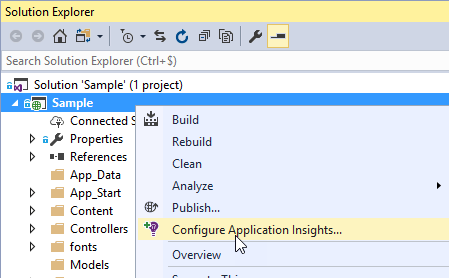
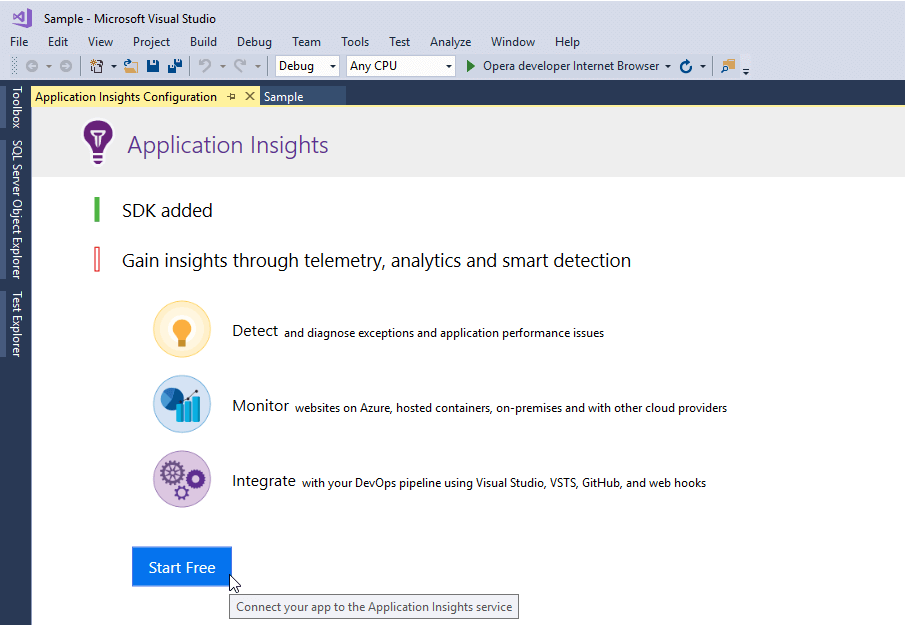
Then, select your Azure account and Visual Studio will handle the rest.
#Search for 404 errors
Open the analytics tool:
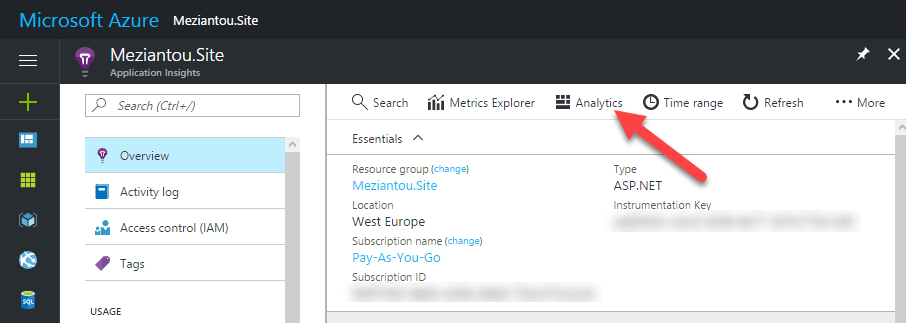 Azure Application Insights - Open analytics
The query editor is very convenient. You can write queries using a syntax similar to F#, with full auto-completion in the browser.
Start with a basic query that finds requests returning a 404 status code:
requests
| where resultCode == 404
The raw results are hard to work with: they include PHP files, duplicate URLs, and unsorted rows. Improve the query with a few pipes:
requests
| where resultCode == 404
| where url !endswith ".php" // Exclude php files
| where timestamp > ago(1d)  // Get result of the last day
| order by timestamp desc    // the last 404 first
| distinct url               // avoid duplicate urls
The results are now much easier to read. But which 404s should you fix first? Start with the most frequently requested ones. Use the summarize function to group the data and count occurrences:
requests
| where resultCode == 404
| where url !endswith ".php"
| where timestamp > ago(1d)
| summarize count() by url   // Group by url and display the number of item of each group
| order by count_ desc
Here's the result:
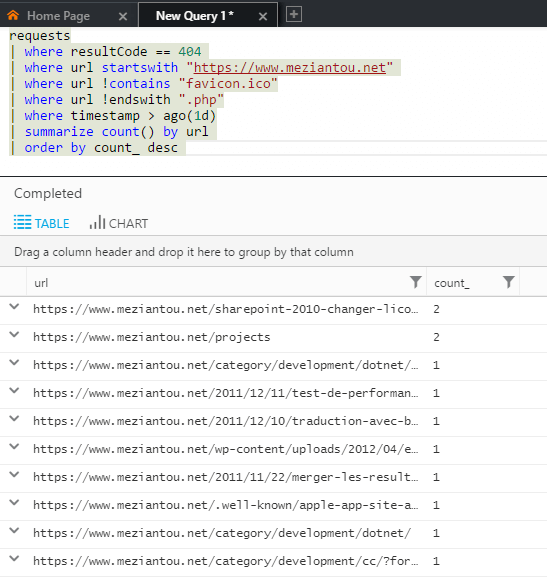 Azure Application Insights - Error 404 query
Do you have a question or a suggestion about this post? Contact me!
