When you use embedded resources in a .NET project, the resource name is computed from the file's path. By default, it follows the format <Assembly Name>.<File Path>, where path separators (/ or \) are replaced with dots (.). For example, the resource name for resources/index.html becomes MyAwesomeProject.resources.index.html. This makes it difficult to build a virtual file system from embedded resources, since naming conflicts can arise.
csproj (MSBuild project file)
<Project>
    <ItemGroup>
        <EmbeddedResource Include="resources\index.html" />
    </ItemGroup>
</project>
You can list the embedded resources using the GetManifestResourceNames method of the Assembly class.
Program.cs (C#)
foreach(var name in Assembly.GetExecutingAssembly().GetManifestResourceNames())
{
    Console.WriteLine(name);
}
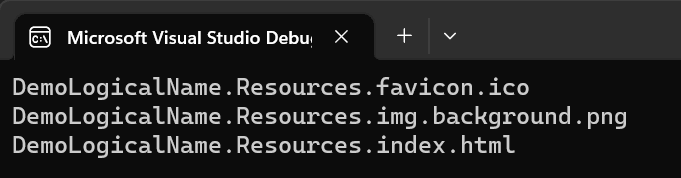
You can change the mapping using the LogicalName attribute.
csproj (MSBuild project file)
<Project>
  <ItemGroup>
    <EmbeddedResource Include="Resources/**/*">
      <LogicalName>$([System.String]::new('%(RelativeDir)').Replace('\','/'))%(FileName)%(Extension)</LogicalName>
    </EmbeddedResource>
  </ItemGroup>
</Project>
If you run the previous code, the resource names will be different:
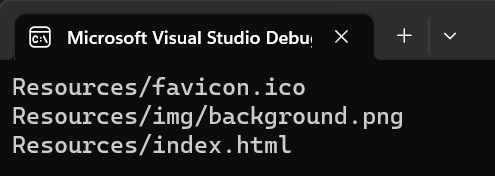
With this mapping, building a virtual file system from embedded resources becomes much easier, since the resource names directly reflect the actual file hierarchy.
Do you have a question or a suggestion about this post? Contact me!
