Creating a NuGet package is as easy as dotnet pack, but there are many best practices to follow to make your package as good as possible. This post describes how to ensure your NuGet packages meet those best practices before publishing them to a repository such as nuget.org.
#Discoverability
Make your package discoverable by adding the right metadata. This helps users find your package through search on NuGet.org or in Visual Studio.
- Choose a unique package id (doc)
- If you plan to publish your package to nuget.org, choose a NuGet package id with a prefix that meets NuGet's prefix reservation criteria
- If the package is not intended for public distribution, choose a package id that is not already taken on nuget.org
- Include a short description, up to 4000 characters, to describe your package (doc)
- Include several tags related to your package to help the search algorithm find your packages (doc)
- Include an icon with your package (doc). The icon is displayed on nuget.org and in the NuGet Package Manager in Visual Studio.
- For compatibility with older NuGet clients, you can set both
icon and the deprecated iconUrl in your nuspec file.
- Include a README file (markdown format) that provides an overview of what your package does and how to get started (doc). This file is displayed on nuget.org.
- Include a license file or a license expression (doc)
#Binaries
Most packages contain binary files (dll or exe).
- Build the binary files using the
Release configuration - For libraries, include the XML documentation files in the package
- If you multi-target the library, ensure the same public types and methods are accessible across all compatible targets. For example, a package targeting both .NET 6 and .NET Standard 2.0 must ensure that code compiled against the .NET Standard 2.0 binary can run against the .NET 6 binary.
#Confidence
Users want to be confident that a package contains the advertised DLLs. For open-source projects, users can review the source code, but how can they verify the package was built from those exact sources?
- For open-source projects, include the repository URL and the commit in the package metadata (doc)
- Compile the package using deterministic builds, so anyone can reproduce the binary from the source code. See enabling reproducible builds when building NuGet packages for more info.
- To go further, sign your package to prove the identity of the author.
#Debuggability
Consumers should be able to debug the package code when something does not work as expected.
- Include symbols (PDB) for your binaries
- PDB should use the portable format to be compatible with all platforms. The file is also smaller than the Windows PDB format.
The SDK provides a tool to validate NuGet packages right after creating them. Currently, it provides the following checks:
- Validates that there are no breaking changes across versions
- Validates that the package has the same set of public APIs for all the different runtime-specific implementations
- Helps developers catch any applicability holes
To enable it, you can add the following property to your project file:
MSBuild project file
<Project>
  <PropertyGroup>
    <EnablePackageValidation>true</EnablePackageValidation>

    <!-- Optional: Detect breaking changes from a previous stable version -->
    <PackageValidationBaselineVersion>1.0.0</PackageValidationBaselineVersion>
  </PropertyGroup>
</Project>
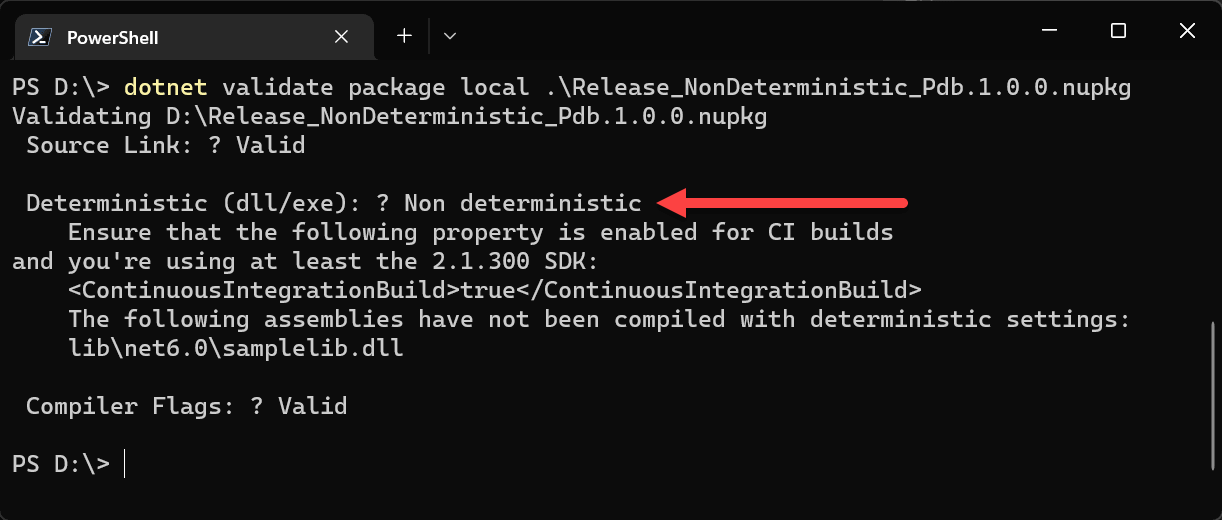
Another tool for validating NuGet packages is NuGet Package Explorer. This UI tool displays the package contents and verifies that the package symbols are valid. It works with both local and published packages. A CLI tool also exists for package validation, which you can integrate into your CI pipeline to validate packages before publishing them.
Shell
dotnet tool update --global dotnet-validate --version 0.0.1-preview.304
dotnet validate package local "mypackage.1.0.0.nupkg"
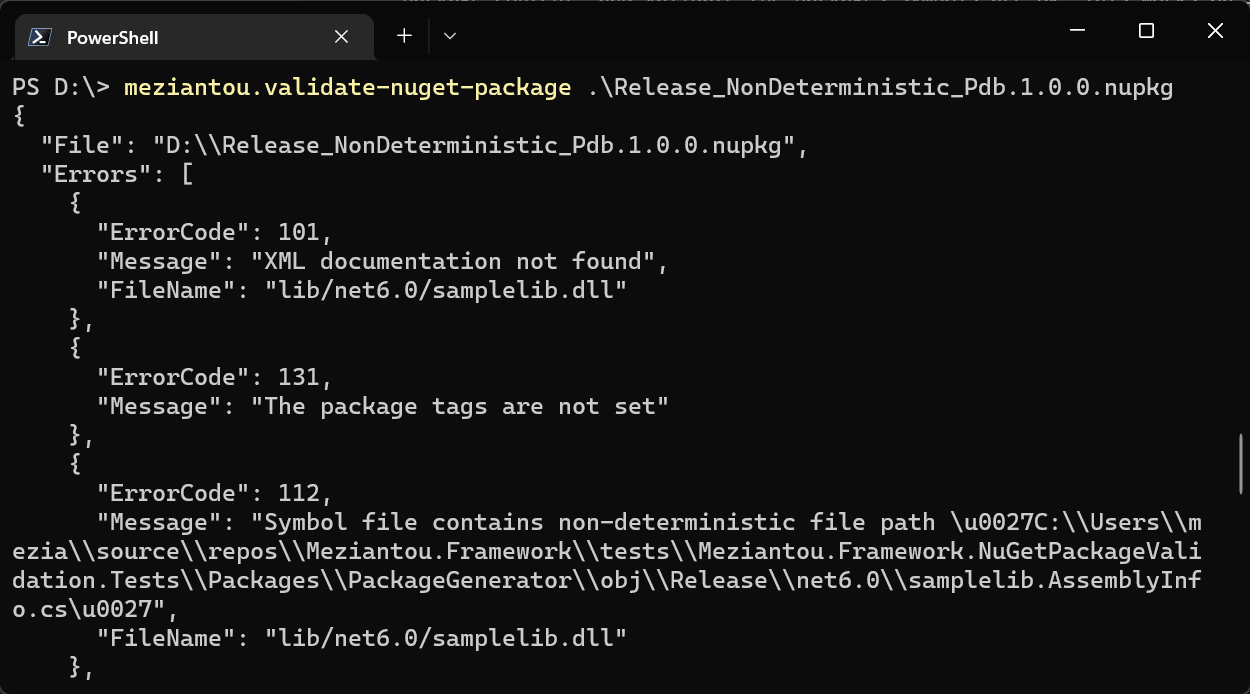
I also created a tool to validate package content. It checks metadata and symbols, reports errors to the console in JSON format, and returns a non-zero exit code when a package is invalid. The source code is available on GitHub.
Shell
dotnet tool update --global Meziantou.Framework.NuGetPackageValidation.Tool
meziantou.validate-nuget-package "mypackage.1.0.0.nupkg"
#Additional resources
Do you have a question or a suggestion about this post? Contact me!
