In a previous post, I explained how to use CSS isolation in a Blazor component to ensure a component's style is not affected by the global style or other components. JS isolation works similarly, but for JavaScript code. It allows you to load JavaScript code scoped to a specific component. One goal of JS isolation is to enable reusable components that are unaffected by the global scope. In previous versions of Blazor, you had to expose JavaScript functions in the global scope (window) and manually add the <script> element. JS isolation fixes both issues!
JS isolation is based on standard ES modules. ES modules can be loaded on-demand using let mymodule = import("path") and the functions they expose are only accessible from the returned object. They are not accessible from the global scope. This is a game changer when creating reusable components, as consumers of your library no longer need to manually import the related JavaScript in a <script> tag! Combined with CSS isolation, you can easily create reusable libraries 😃
In .NET, you can use ES modules via IJSRuntime and IJSObjectReference. IJSRuntime.InvokeAsync allows you to call the import function, and IJSObjectReference holds a reference to the loaded ES module.
C#
// Load the module and keep a reference to it
// You need to use .AsTask() to convert the ValueTask to Task as it may be awaited multiple times
private Task<IJSObjectReference> _module;
private Task<IJSObjectReference> Module => _module ??= JSRuntime.InvokeAsync<IJSObjectReference>("import", "./js/demo.js").AsTask();
For this demo, I've created a component that asks for your name and shows a greeting alert. The JS file contains the sayHi function, which calls alert with the provided name. The Razor component loads the ES module and calls the sayHi function with the name the user enters. The solution structure looks like:
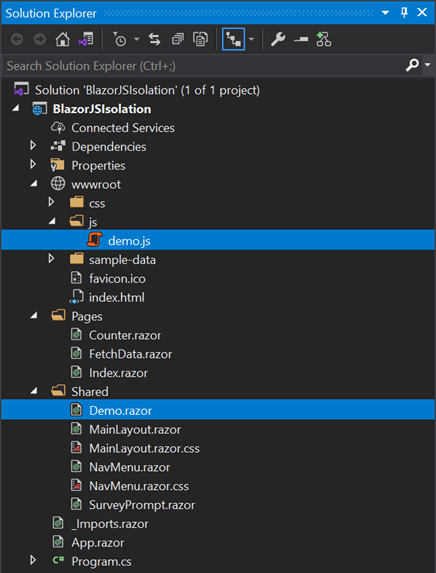
The JavaScript file is very basic. It simply exports a function named sayHi:
JavaScript
// Use the module syntax to export the function
export function sayHi(name) {
    alert(`hello ${name}!`);
}
Here's the full code of the Blazor component:
Razor
@inject IJSRuntime JSRuntime
@implements IAsyncDisposable

Enter your name: <input @bind="name" />
<button @onclick="Submit">Submit</button>

@code {
    private string name;

    // Load the module and keep a reference to it
    // You need to use .AsTask() to convert the ValueTask to Task as it may be awaited multiple times
    private Task<IJSObjectReference> _module;
    private Task<IJSObjectReference> Module => _module ??= JSRuntime.InvokeAsync<IJSObjectReference>("import", "./js/demo.js").AsTask();

    async Task Submit()
    {
        var module = await Module;
        await module.InvokeVoidAsync("sayHi", name);
    }

    public async ValueTask DisposeAsync()
    {
        if (_module != null)
        {
            var module = await _module;
            await module.DisposeAsync();
        }
    }
}
In the demo, you can see that the demo.js file is loaded only when clicking on the submit button:
Do you have a question or a suggestion about this post? Contact me!
