Windows lets you list OneDrive folders and folders from other cloud providers using the StorageProviderSyncRootManager class. This class exposes a static method, GetCurrentSyncRoots, that returns a list of StorageProviderSyncRoot objects representing the registered cloud sync roots.
Before using the Windows SDK, update the target framework of your project to net8.0-windows10.0.18362.0:
Project.csproj (csproj (MSBuild project file))
<Project Sdk="Microsoft.NET.Sdk">
  <PropertyGroup>
    <OutputType>Exe</OutputType>
    <TargetFramework>net8.0-windows10.0.18362.0</TargetFramework>
    <ImplicitUsings>enable</ImplicitUsings>
    <Nullable>enable</Nullable>
  </PropertyGroup>
</Project>
Then, use the StorageProviderSyncRootManager.GetCurrentSyncRoots() method to list the sync roots:
C#
foreach (var root in StorageProviderSyncRootManager.GetCurrentSyncRoots())
{
    Console.WriteLine(root.Id);
    Console.WriteLine(root.DisplayNameResource);
    Console.WriteLine(root.Path.Path);
 }
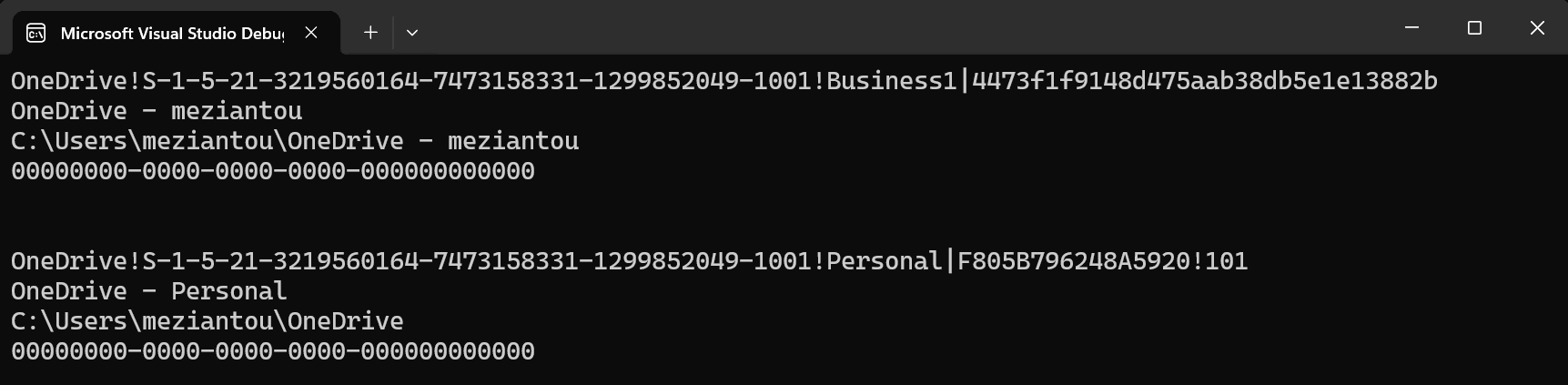
To filter by a specific provider like OneDrive, use the ProviderId (if set) or the Id property. For OneDrive, the Id starts with OneDrive. You can also distinguish personal from business accounts by parsing the value. The ID format is OneDrive!{CurrentUser SID}!{Account type}|{DriveId}
Do you have a question or a suggestion about this post? Contact me!
